
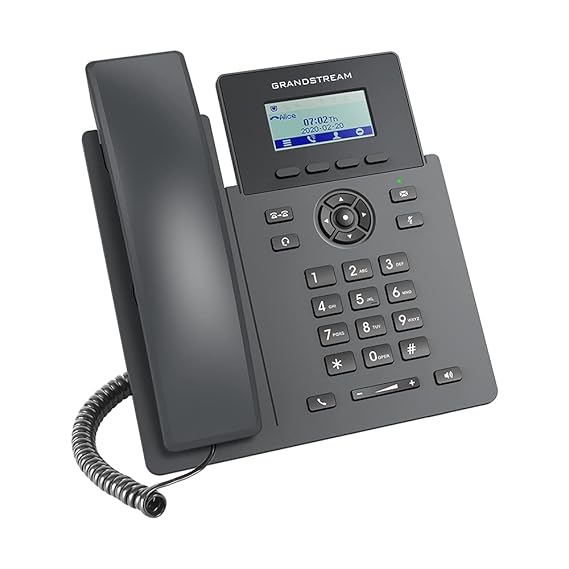
Grandstream GRP260 Business IP Phone – Business Phone Overview
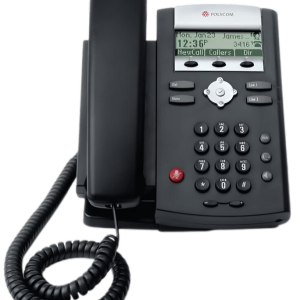
The GRP260 is perfect for offices, call centers, and small organizations. It works well as a Voice over IP phone for the office, helping teams stay connected and productive. You can use it for client support, internal communication, and daily commercial calls. It also fits well in setups like IP phone office work, where straightforward use and dependability are important. As a result, it improves workflow and communication efficiency.
This device is a great choice because it gives you a lot of value without sacrificing quality. It’s made for commercial people who need a dependable voice over IP phone with enhanced capabilities, straightforward to use and has great sound quality. If you want a durable, stylish, and effective communication tool that works with any IP phone officeworks setup, the GRP260 is the best choice for offices, startups, and organizations.
Main Features and Business Benefits of Grandstream GRP260 Business IP Phone
Product Specifications
- Brand: Grandstream
- Bluetooth: Bluetooth 5
- Display: 2.4-inch
- Screen resolution: 32 × 48 pixels.
- Audio: HD audio with a full-duplex speakerphone
- SIP Account: Up to 4 SIP accounts
- Conferencing: 5-way audio conferencing
- Security: enterprise-level security like secure boot, dual firmware
Yes, this VoIP IP phone is compatible with most commercial VoIP and SIP-based services, making setup and operation quick and simple.
How Grandstream GRP260 Business IP Phone Supports Business Operations
Yes, you can use an IP phone like a regular phone, but it works through the internet (VoIP) instead of a conventional phone line.
Key Takeaways
- Brand: Grandstream
- Bluetooth: Bluetooth 5
- Display: 2.4-inch
- Screen resolution: 32 × 48 pixels.
- Audio: HD audio with a full-duplex speakerphone
Where Grandstream GRP260 Business IP Phone Can Be Used
You can permanently change your phone’s IP address by setting a static IP in your network settings or by configuring a DHCP reservation in your router.
FAQs About Grandstream GRP260 Business IP Phone
Can you use an IP phone as a regular phone?
Yes, you can use an IP phone like a regular phone, but it works through the internet (VoIP) instead of a conventional phone line. How to change my phone IP address permanently? You can permanently change your phone’s IP address by setting a static IP in your network settings or by configuring a DHCP reservation in your router. For more tech products visit here
How to change my phone IP address permanently?
You can permanently change your phone’s IP address by setting a static IP in your network settings or by configuring a DHCP reservation in your router. For more tech products visit here
Order Grandstream GRP260 Business IP Phone in Pakistan
If you are comparing business phones for your organization, review the specifications, compatibility requirements, and current availability before ordering. Grandstream GRP260 Business IP Phone can be considered when its listed capabilities match your deployment needs.

Jamal –
A convenient option for office communication upgrades.